QuickTime VR and QuickTake: Digital Heritage Before Smartphones
The story of QuickTime VR and Apple QuickTake cameras: digital panoramas of the 1990s, forgotten formats, and the Vintage Viewer app for accessing archives.

In the 1990s, QuickTake and QuickTime VR opened up new possibilities for digital photography and panoramas. The obsolete formats became inaccessible on modern computers, so Vintage Viewer helps restore and export these materials.
Digital Panoramas Before the Smartphone Era: The Story of QuickTime VR and QuickTake
In the 1990s, MP3 files and Napster appeared, The Simpsons was on television, and Bill Clinton was president of the United States. That same decade marked the beginning of mass-market personal digital photography and home video on computers.
One of the early milestones in photography was the launch of Apple’s QuickTake 100 camera in 1994. The first digital photos were small, low-resolution, and heavily compressed: they were nowhere near film quality. But the direction of progress was already clear—photography was gradually entering the digital age.
At the same time, personal computers were learning to play video. At first, Apple’s QuickTime technology made this possible, and later Microsoft’s Video for Windows joined it. The clips looked grainy, the motion was jerky, and the image took up an area about the size of a saltine cracker. Still, it was like having a television running right on your computer.
In 1995, Apple introduced another way to work with images: QuickTime VR. The technology made it possible to create 360-degree panoramas and explore them on screen, changing the viewpoint with a mouse and keyboard. This was not virtual reality in the modern sense associated with VR headsets. In a 1995 Apple technical note, it was called “virtual reality for the rest of us.” Users dragged the image to change their direction of view. Today, similar navigation is familiar from Google Street View, but at the time it was new.

Over the next decade, QuickTime VR nearly disappeared. As the Mac operating system was updated, Apple dropped the QuickTime VR and QuickTake formats. The story of how they were created, and attempts to restore access to them, is tied to the experience of a photographer and technology journalist who worked with both technologies in the 1990s and later developed the Vintage Viewer app.
How the Panoramas Were Made
At the time, the future creator of Vintage Viewer was an editor and columnist at Macworld magazine. In 1994, he wrote an article about digital cameras for the magazine, and in 1995 he prepared a major feature on QuickTime VR. He also released a CD-ROM for a Macworld-branded book, featuring an interview with the QuickTake 150 product manager.
In early 1995, the journalist worked with Apple’s Advanced Technology Group several times, studying QuickTime VR and the challenging process of preparing panoramas. The shoot began with a 35mm film camera mounted on a special tripod bracket. The photographer took a series of overlapping frames, after which the film was developed, scanned, and transferred to Kodak PhotoCD discs. The images were then stitched into a panorama using a software suite that cost $2,000. The process required Apple’s MPW software tools and entering numerous special commands.
Despite the labor involved, QuickTime VR intrigued the amateur photographer. He had been working in technology journalism since the early 1980s, but before digital photography arrived, computers and photography remained separate parts of his life. In the 1990s, they came together, and his work became more interesting.

In 1997, he set off on a seven-week trip through 26 U.S. states with a QuickTake camera. Along the way, he took QuickTake photos and made QuickTime VR movies. One surviving frame shows him with his dog Trixie by Crater Lake in Oregon: the photo was taken in July 1997 after he shot a panorama.
From 1997 to 2001, the photographer took part in A Wrinkle in Time, international events devoted to QuickTime VR. Four times a year, dozens of creators from different countries shot panoramas simultaneously on the days of the equinoxes and solstices.
The work was published online. Visitors could explore virtual views from around the world: some panoramas were shot at night, others during the day; some in the snow, others in Hawaii. All the images were created at the same moment. The project showed how the internet could bring people together and give everyone a chance to express themselves without getting lost in social networks, advertising, and algorithms.
QuickTime VR was used by creators in a wide range of fields. Publishers released commercial CD-ROMs featuring virtual trips to other countries, lost Mayan cities, and the USS Enterprise starship from Star Trek: The Next Generation. Museums and universities published virtual exhibits online, featuring places and objects such as the Pyramids of Giza and antique hearing aids. Architects and real estate agents created virtual tours of buildings. Photographers showcased nature parks and Yosemite National Park. NBC News posted panoramas of crime scenes during the O. J. Simpson trial. Professionals and amateurs alike explored a new way to document the world around them.
When Steve Jobs returned to Apple in 1997, the company began a major reduction of its product line.

Apple Streamlines Its Product Line
In 1997, Apple offered a wide range of Mac models, developed various software projects, including QuickTime VR, and produced peripherals: hard drives, printers, a scanner, and the QuickTake camera.
After returning, Jobs cut about 70 percent of the product line and focused it around four categories: iMac, iBook, PowerBook, and Power Mac. QuickTake cameras didn’t fit into this structure. The QuickTake 200 was introduced in early 1997, but by the end of the year Apple had discontinued its entire digital camera line.
Over time, photos taken with the QuickTake 100 and QuickTake 150 became among the files that newer systems could no longer open. Mac OS X did not support them directly. To access the photos, users had to launch Classic, a compatibility environment that allowed Mac OS X to work with the previous operating system.
In 2007, Classic ceased to exist. As a result, thousands, perhaps even millions, of images became unreadable on computers other than old Macs. The images could be converted using special software, such as Graphic Converter, but there was no ordinary way to open them in their original format.

QuickTime VR suffered a similar fate. In November 1997, Apple released QuickTime VR Authoring Studio, a software package for creating panoramas. However, the Advanced Technology Group, where the technology had been developed, had closed a month earlier.
The company never created a version of Authoring Studio for Mac OS X. Panorama creators had to run the program in the Classic environment. After Classic was discontinued in 2007, there were two options: use an old Mac or switch to a third-party tool.
By then, the need for QuickTime VR was already diminishing. Publishers were abandoning CD-ROMs and moving to the internet, while the internet itself was changing how multimedia was displayed. On early websites, playing video and other rich content required plugins. Visitors often saw messages like “This site requires QuickTime” or “Download the Flash plugin.” This made things more difficult for both users and web designers.
Later, the web community developed HTML standards that made plugins unnecessary. This made websites easier to use, but it also left web pages unable to display QuickTime VR movies. In 1997, for example, Apple promoted panoramas taken by NASA’s Sojourner rover on its homepage.

A standalone QuickTime Player could still display these files, but it was not easy to find the required version. Users had to install QuickTime Player 7 manually, either by downloading it or finding it on a macOS installation disc.
In 2019, macOS Catalina was released, ending support for the 32-bit architecture used by previous versions of Mac OS. QuickTime Player 7 would not run in Catalina, so trying to open a QuickTime VR movie resulted in an error message.
Over the lifetime of the format, many thousands of QuickTime VR panoramas were posted online. Some are still stored on old, abandoned websites and in the Internet Archive, but modern browsers and the current QuickTime Player cannot play them.
What Remains of Our Digital Heritage
Apple could have continued supporting the QuickTake photo format and adapted QuickTime VR Authoring Studio for Mac OS X. It could also have provided a way to export panoramas to a web format that did not require plugins. But software support has to be funded, and when the potential audience is small, decisions about a product’s future are made with costs and the market in mind.

Along with the formats, the memories preserved on the first digital cameras are also at risk. The storage media containing these photos often can no longer be connected to a Mac made in the 21st century. Digital heritage depends not only on whether a file format is preserved: the files themselves may remain on incompatible, obsolete media.
The Digital Giza project illustrates this problem particularly well. Staff at Harvard University photographed and produced more than 1,200 QuickTime VR panoramas around and inside the Pyramids of Giza. After Apple discontinued QuickTime VR and browsers dropped support for plugins, the material could no longer be viewed. An updated website is now being developed for the project, where the panoramas will be restored in HTML format.
An App for Old Formats
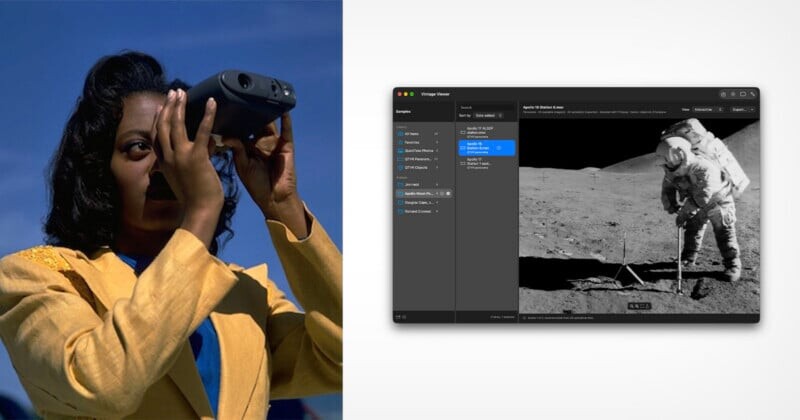
Vintage Viewer was created to give QuickTake and QuickTime VR an accessible environment on modern computers. It is a free macOS app that lets users store, view, and export QuickTake photos and QuickTime VR movies.
The developer still had a small but personally important collection of 1990s photos and panoramas. On an old PowerBook G4, it is possible to run Classic, view these materials, and convert QuickTake photos to JPEG. There are also standalone utilities for modern versions of macOS that can convert QuickTake images. QuickTime VR movies are more complicated: they remained inaccessible on newer computers. Vintage Viewer was conceived as a way to bring this material back into the modern digital environment.
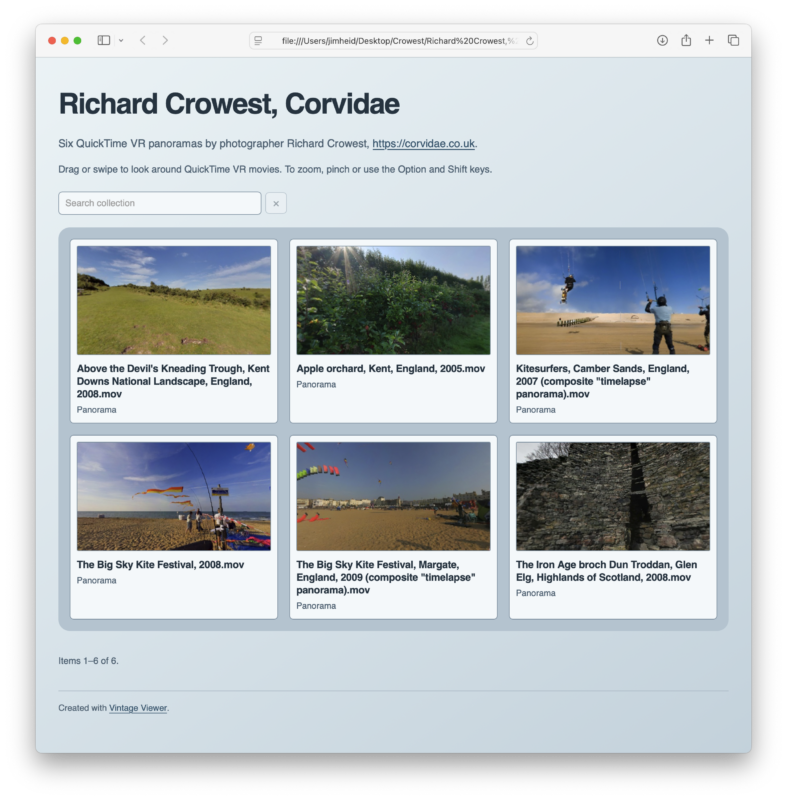
Interest in the format came not only from its former users. On Reddit and other online forums, the developer met people who also wanted to explore these technologies, including those born after they first appeared. Discussions included comments like “My dad had a QuickTake.” The app was intended to help vintage-computer enthusiasts collect and explore forgotten formats, as well as make it easier to display and convert panoramas created by nonprofits and other contributors.
Vintage Viewer can convert QuickTake and QuickTime VR, but its purpose goes beyond file conversion. It is important for the original formats to remain first-class objects on modern Macs. You don’t need to create an HTML version of a QTVR movie before viewing it; a QuickTake photo can also be opened without being converted first. In the app, old formats are just as directly accessible as photos from an iPhone.
A Return to Panoramas
Rediscovering archival photos rekindled an interest in QuickTime VR. After going through old CD-ROMs and spending a lot of time in the Internet Archive and on other websites, the Vintage Viewer developer assembled a collection of nearly 3,000 panoramas.
He also got in touch with QuickTime VR creators he had worked with about thirty years earlier. Photographers Richard Crowst, Doug Cole, and Eric Goetze tested the app and contributed several panoramas to the sample library included with Vintage Viewer. One of Doug Cole’s movies features directional sound: as you move around the panorama, the sound shifts between the left and right speakers.

All three worked with QuickTime VR in the 1990s and took part in A Wrinkle in Time projects. Most of this material is now lost. One collection was found: the edition devoted to the winter solstice of 1997 survived on a CD-ROM that came with Macworld magazine and was later uploaded to the Internet Archive. The participants’ movies were extracted, but they cannot be published without permission from each of the 80 creators. It was not possible to contact the project producer, Robert Abbett.
The developer also met Dean Hacker, an Australian QuickTake collector, through Reddit. Hacker is only slightly older than the cameras he collects and owns 16 of them. He jokingly calls his QuickTake memorabilia collection “a concerning amount of memorabilia surrounding”. As he puts it, “There are a lot of people out there who do not want dead formats or their devices to disappear and that makes me very happy”.
Hacker is developing an app to transfer photos directly from a QuickTake camera using a cable that connects a QuickTake 100 or QuickTake 150 to a USB port. His work inspired the creator of Vintage Viewer to buy a QuickTake 100 on eBay and order one of these cables.
In this way, restoring archival material led to a new connection with forgotten devices and the intention to create content with them again. There is a certain sense of completion in this: technologies used in the 1990s are once again becoming tools for capturing and exploring images.
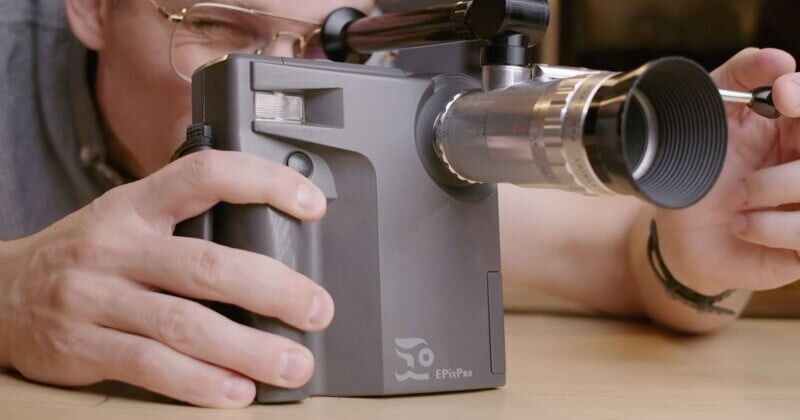
The box for QuickTime VR Authoring Studio featured an illustration suggesting a cycle coming full circle. The lead image for this article shows a QuickTake 150 camera in use; photo courtesy of Apple.