Camera Raw 19.0: Batch Retouching and Virtual Copies
What’s new in Adobe Camera Raw 19.0: virtual copies, batch object removal, stacks, the Glow effect, and support for cameras and lenses.


Camera Raw 19.0 adds virtual copies, stacks, and batch synchronization for Generative Remove. It also introduces the Glow Motion and Streak styles, along with support for new cameras and lenses.
Adobe Camera Raw 19.0: Virtual Copies, Batch Retouching, and New Lens Profiles
On November 10, Adobe updated Camera Raw to version 19.0. The release adds tools for processing batches, new ways to organize photos, changes to the Glow effect, and support for cameras and lenses. The update arrived alongside major new features in Lightroom Classic.

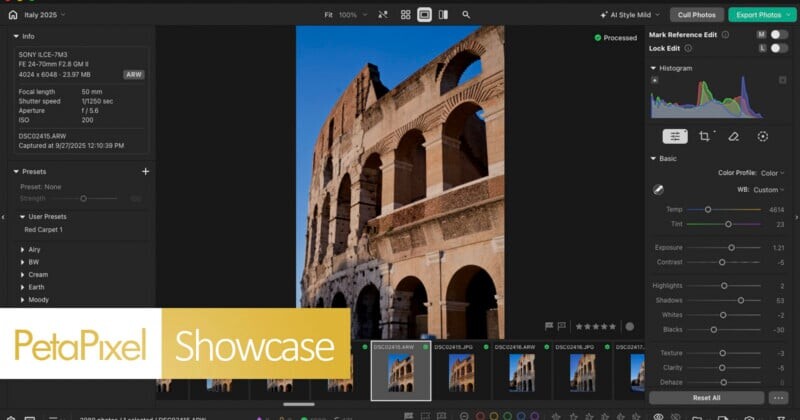
Camera Raw is an important part of the Photoshop workflow, especially when processing RAW files. The developing and editing technologies in ACR largely overlap with Lightroom’s tools, but some features appear in Camera Raw first. That was the case with the Glow effect: it debuted in ACR a few months ago and has now been added to Lightroom. Another example is Reflection Removal, a tool for removing reflections that also first appeared in Camera Raw before making its way to other Adobe photo applications.
New Glow Settings and Multiple Versions of One Photo
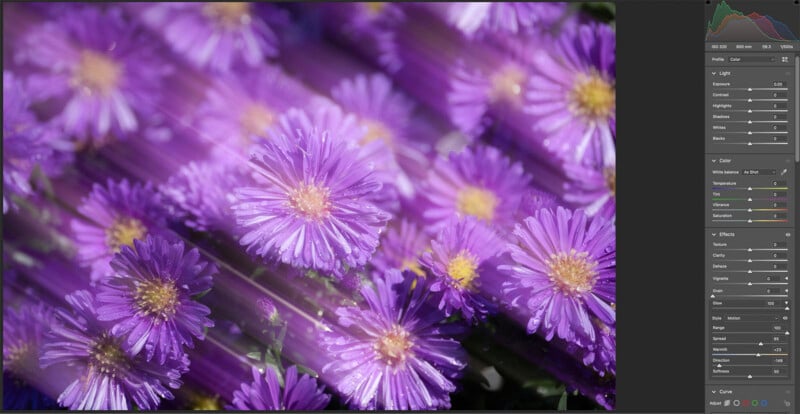
The Glow effect now has two new styles: Motion and Streak. You can adjust the length, direction, color, and softness of the glow for each. The results depend on the image: the effect isn’t suitable for every shot, and the demonstration with intense glow shows what the tool can do rather than a typical edit.
ACR also adds virtual copies, a feature long familiar to Lightroom users. It lets you create multiple versions of a photo and save separate settings for each without duplicating the source file. Changes to different versions remain available even after you end the current session.

Batch Object Removal
You can now sync a selected Generative Remove area across other photos in a batch. If the same distracting object appears in several photos—for example, a telephone pole—you only need to select and remove it in one shot, then apply the same operation to the others. There’s no need to mask the object separately in each photo.

Stacks and Easier Navigation
You can now group related or similar photos into stacks within a single ACR session. You can do this manually or automatically based on capture metadata. Automatic grouping by capture data is currently supported only for recent Canon and Nikon cameras compatible with the DNG format. Manual stacking is available to all users.

When processing a large number of shots, navigating an overcrowded filmstrip or grid can slow you down. In version 19.0, you can temporarily hide photos and leave only selected images in the workspace. This makes it easier to review your images during the current session.
Camera and Lens Support
The list of newly supported cameras is short: it includes only the two cameras in the new Apple iPhone Duo.

Lens support has been added for the Sony FE 8-14mm f/3.5 Fisheye G, the FE 400mm f/4.5 GM and FE 600mm f/6.3 GM telephoto prime lenses, as well as new Sigma and Tamron zoom lenses. In addition, ACR now supports the Laowa 50mm f/2.8 2x Ultra-Macro APO for many mount options.